ListForge just shipped virtual mannequin photos, on the web app and in the mobile app. Open a clothing item, tap one button, and a few minutes later your listing has a studio-style photo of your exact garment on a mannequin, set as photo number one.
The flat-lay problem
Clothing sells on the first photo. A buyer scrolling search results decides in about a second, and a shirt spread flat on a table asks them to imagine what it looks like on a body. A mannequin shot answers that question before it gets asked: shape, drape, and proportions, all visible at a glance.
Most resellers know this and shoot flat-lays anyway, because the alternative used to mean owning a mannequin, dressing it, steaming the garment, and shooting it with decent light. That is minutes per item and a corner of your workspace, forever. So the flat-lay won by default, and the listing paid for it.
What shipped
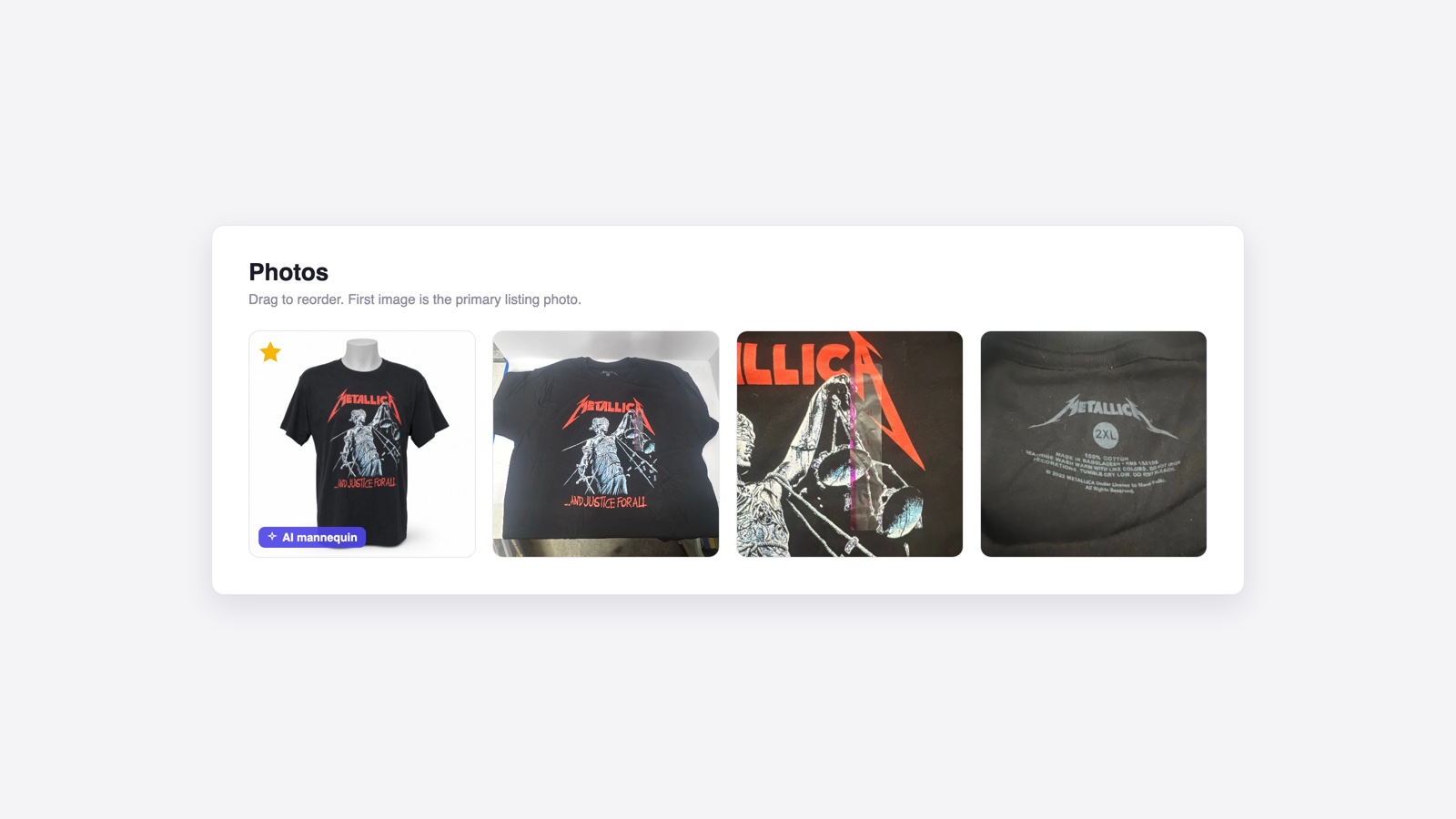
On any eligible clothing item, open Photos and choose Virtual mannequin. ListForge reads the photos you already took, front, back, tag, and close-ups, and generates a clean studio photo of your garment, with its actual print and proportions, displayed on a mannequin. The result lands in the first slot of your photo grid with an AI mannequin badge, so you and your buyers always know which photo was generated.
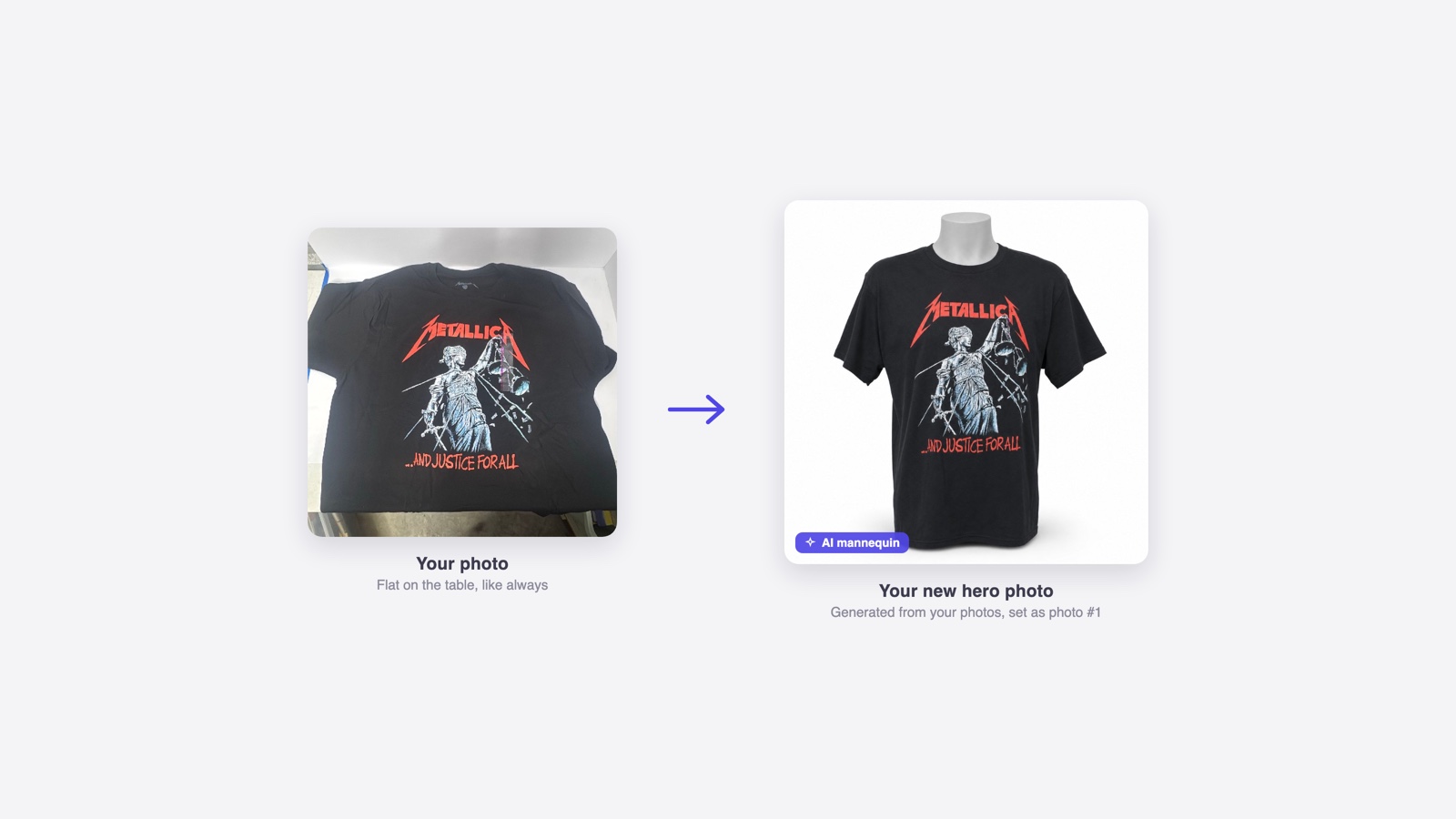
Your own photos stay exactly where they were. The generated shot is just another photo in the grid: drag it, demote it, or remove it anytime.
You can watch it work
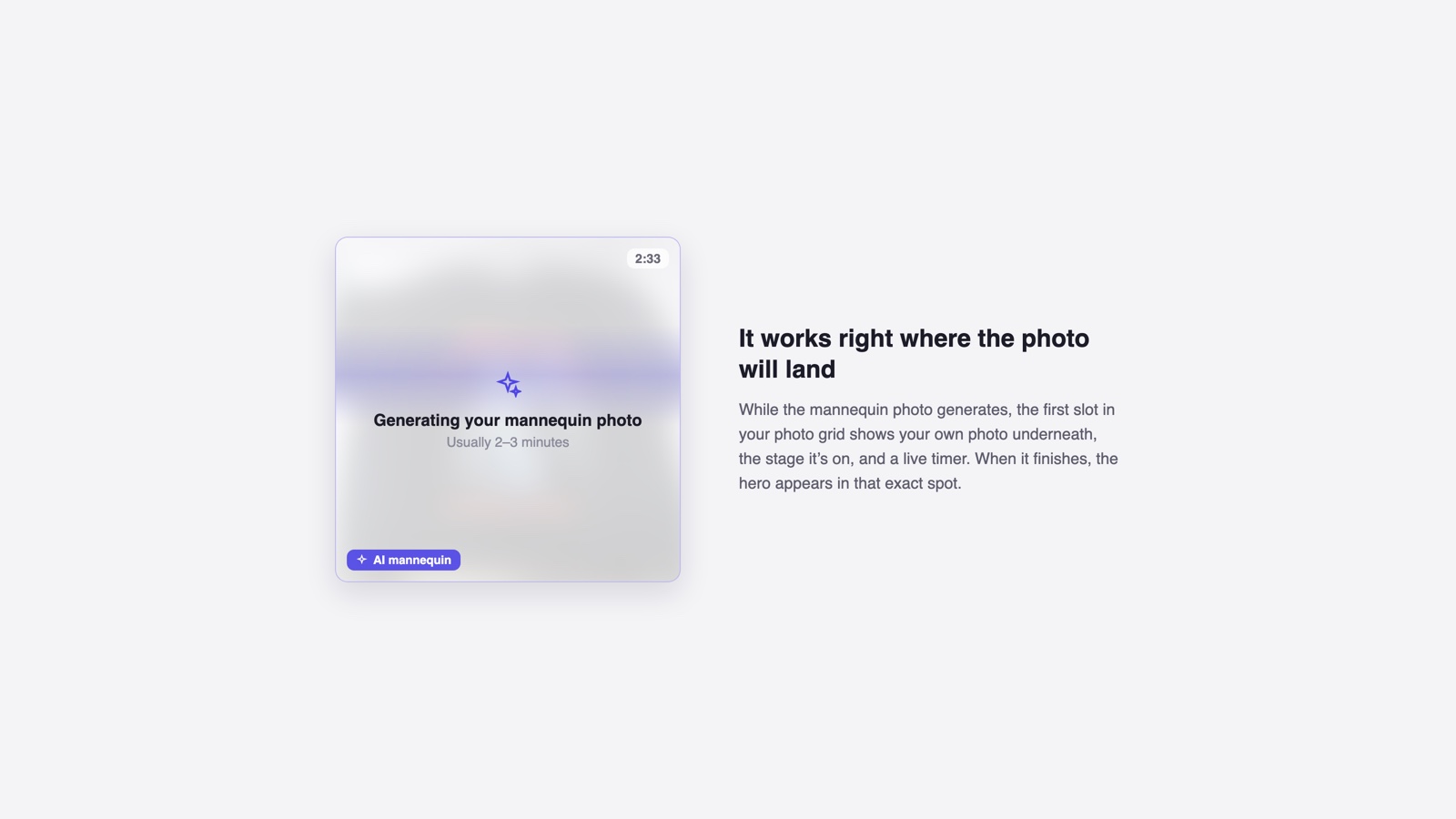
Generation usually takes 2 to 3 minutes, and the wait happens right where the photo will land. The first grid slot shows your source photo blurred underneath, the stage the pipeline is on, and a running timer. When it finishes, the hero appears in that spot. If a generation fails, the same slot says so and offers a retry, and you are not charged for anything that did not ship.
Your photo, your call
Every generated photo is automatically compared against your originals, and we keep a record of how faithful it is to the real item. But the decision stays with you. Generated photos can make a worn item look a little newer than it is, so give the hero a quick look next to your own photos before you list. If it does not represent your item honestly, remove it. It is one tap, and your original photos are untouched either way.
How to get it
There is nothing to install. The web app has it now at app.list-forge.ai, and the mobile app picks it up on its own the next time you open it. Generation uses credits, with the cost shown before you confirm, and you are only charged when a photo is delivered.
Put your next garment on a mannequin without owning one, and see what it does to the listing.