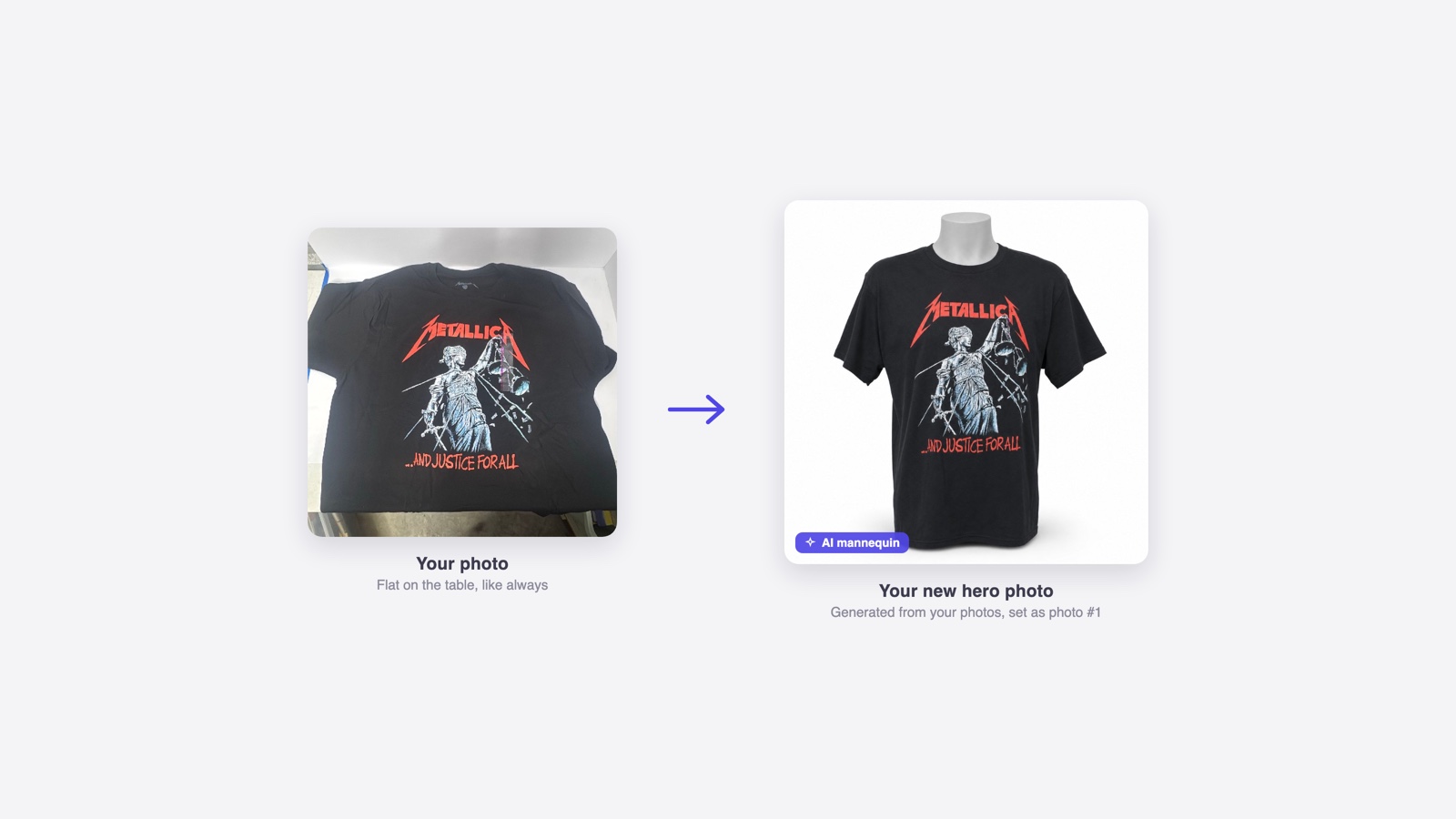
ListForge just upgraded virtual mannequin photos on web and mobile, and cut the credit charge in half. A delivered photo now costs 50 credits instead of 100, so the same balance covers twice as many mannequin photos.
If you have a pile of clothing waiting to be listed, that is a change you can use on the next item. Open an eligible item, choose Virtual mannequin in Photos, and generate a staged image from the photos you already took.
Half the credits for each photo
Previously, 1,000 credits covered 10 virtual mannequin photos. Now they cover 20. There is no new subscription, no separate image pack, and no change to the value of credits already in your account. This reduction applies to virtual mannequin generation; other actions keep their existing credit charges.
The charge still happens when a photo is delivered. Your source photos remain available, so you can compare the generated result with the actual item before using it in a listing.
A faster image model
The upgrade uses OpenAI's GPT Image 2.5 Sunburst model. We tested it against the previous model using the same product photos and staging instructions, covering clothing, footwear, and accessories.
Across 40 generations per model, the median image-generation call fell from about 116 seconds to 30 seconds. That is the image-generation step, not a promise that every photo will appear in 30 seconds: preparing the request, queueing, and saving the result add time. You can keep working while generation runs.
The lower generation cost gave us room to lower your credit charge. We chose 50 credits so the saving is straightforward: twice as many mannequin photos from the same balance.
What changed in the pictures
Some comparisons showed improved graphic detail, including the Yale sweatshirt shown below. The comparison uses the original fixture outputs: source photo on the left, previous model in the middle, upgraded model on the right.
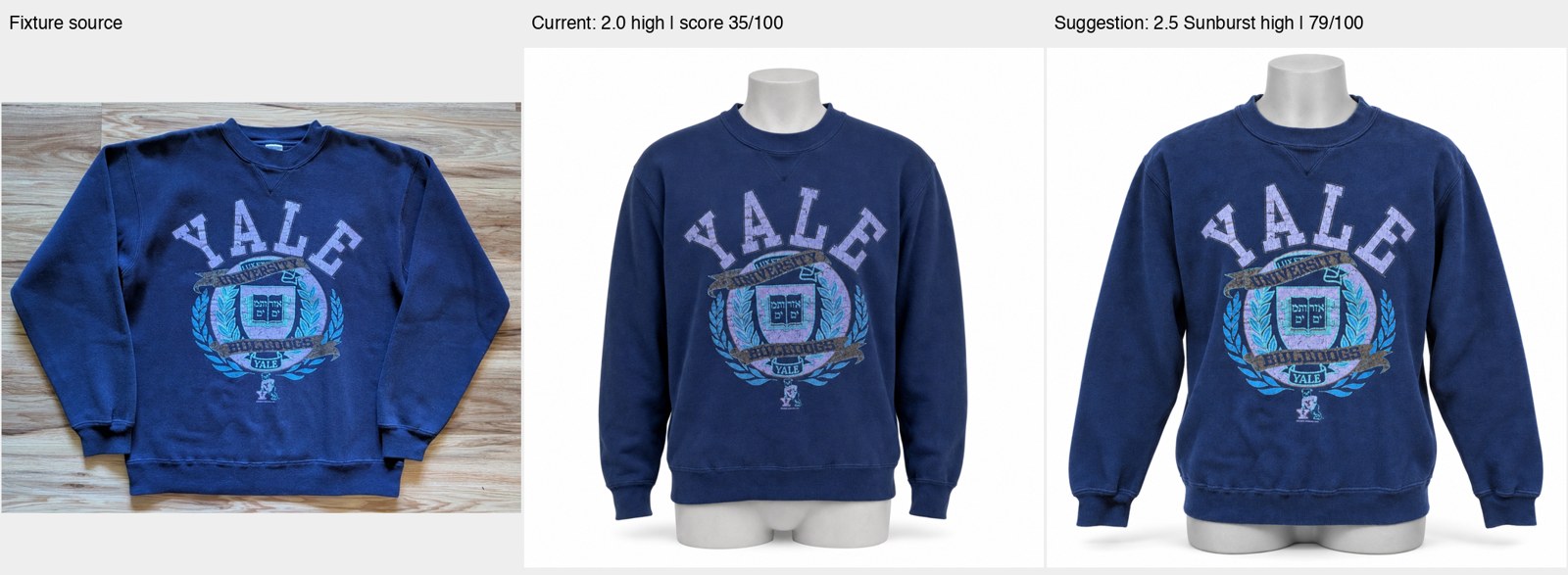
Results varied by item. Our tests did not establish that the new model is better on every item or better overall. Small labels, logos, and signs of wear can still change during generation. A clean-looking image is useful only if it represents what you are selling.
Before listing, compare the print, color, shape, and condition with your own photos. If the generated image hides damage or changes a detail, remove it and use your original. The original photos stay intact.
Try it on your next item
The upgrade is available on web and mobile. Reopen the mobile app to pick up the latest update and confirm that the action shows 50 credits before generating.