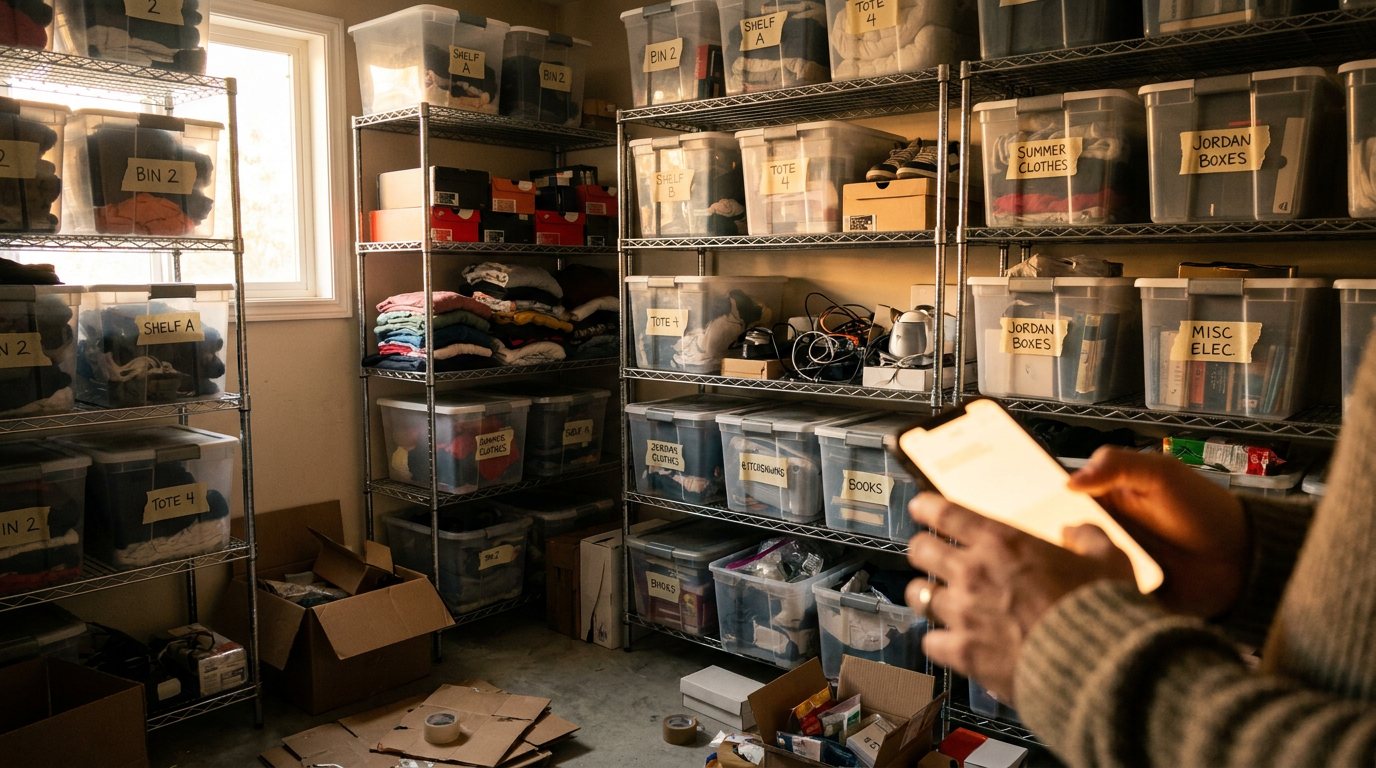
The ListForge mobile app now has a pick list. It is live today, in the Orders tab. Here is what it does and why we built it.
The problem
You sold nine things overnight. Now you have to find them.
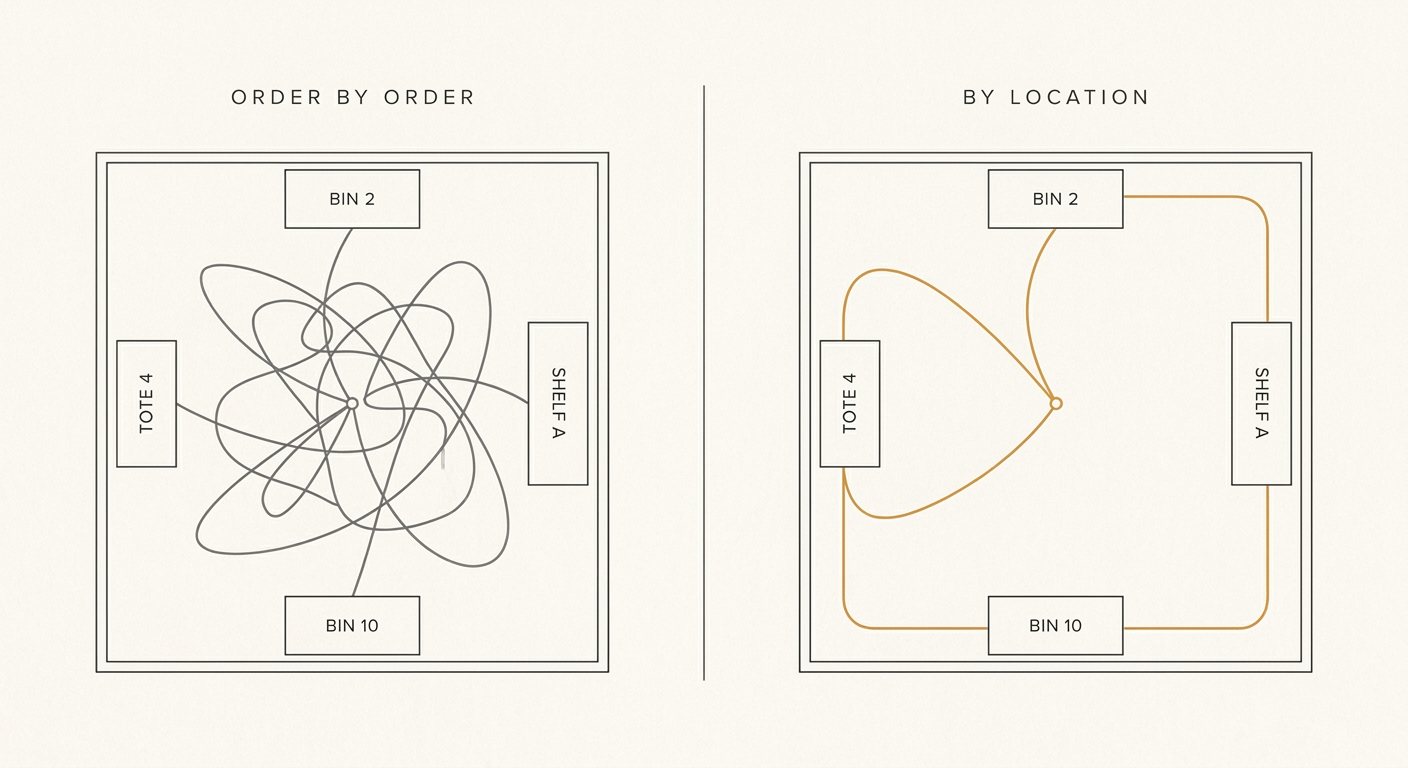
If your inventory lives in bins and on shelves, that used to mean opening the orders screen, reading the first order, walking to Bin 2, coming back, reading the next one, walking to Shelf A, coming back. Nine orders, nine trips, and half of them crossing the same aisle twice.
Most resellers already solve this with a scrap of paper. You write down what sold, sort it roughly by where it lives, then walk the room once. It works. It also means transcribing nine item titles by hand every morning before you can start packing.
The pick list is that scrap of paper, built into the app.
What is new
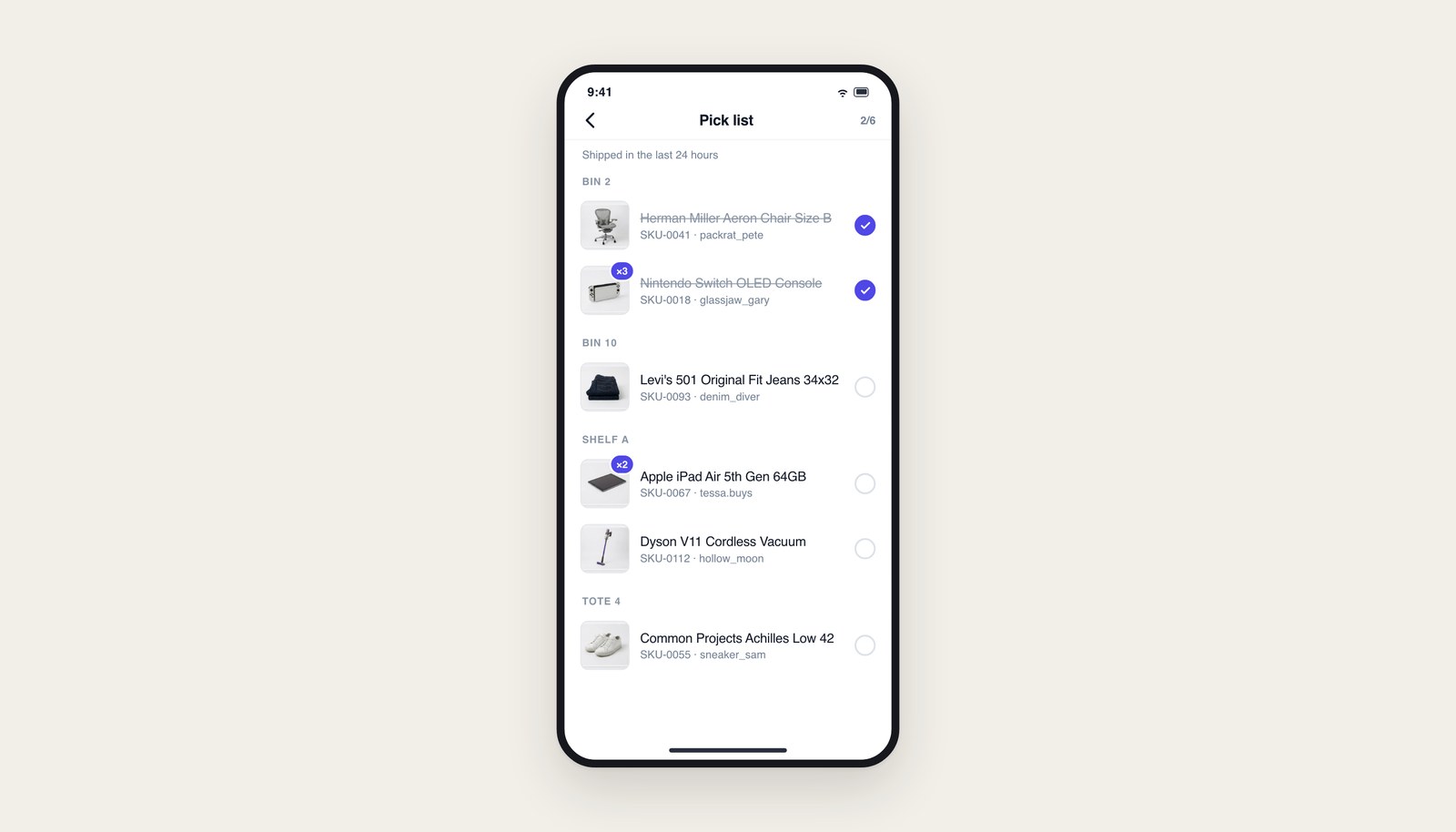
Open the Orders tab on your phone and you will find Pick list. It shows every order line you shipped in the last 24 hours, in one screen, grouped into shelf stops by storage location.
- Grouped by location. Bin 2 has three of them. Shelf A has two. Everything without a location sits at the bottom. Walk the room in that order.
- Check off as you pull. Tap each row as it goes in your hand. The row strikes through, and the counter in the header tells you how many are left.
- Quantity badges. If an order needs two of the same item, the thumbnail carries a count badge. Grabbing one of a two is the most expensive mistake in this whole process, because you do not find out until the buyer opens the box.
- The header follows you. The shelf name stays pinned while you scroll through that stop, so you always know what you are standing in front of.
What it does not do
It does not manage anything. No dismissing, no archiving, no list to keep tidy. The window is 24 hours and it is owned by the server, so the list drains itself. Ship something, it appears. A day later it is gone.
It also does not know where your items are unless you tell it. The grouping runs off the storage location on each item. If you have not been filling that in, everything lands in one group and you get a flat checklist, which still beats scrolling orders one at a time. If you have been meaning to start labelling bins, this is the feature that pays you back for it.
How to get it
Open the ListForge app on iOS or Android. The update arrives on its own the next time you launch, so there is nothing to install. Then go to the Orders tab and look for Pick list.
If you pack orders every morning, try it on tomorrow's batch and tell us whether the order of the stops matches how you actually walk your room. That is the part we most want to get right.