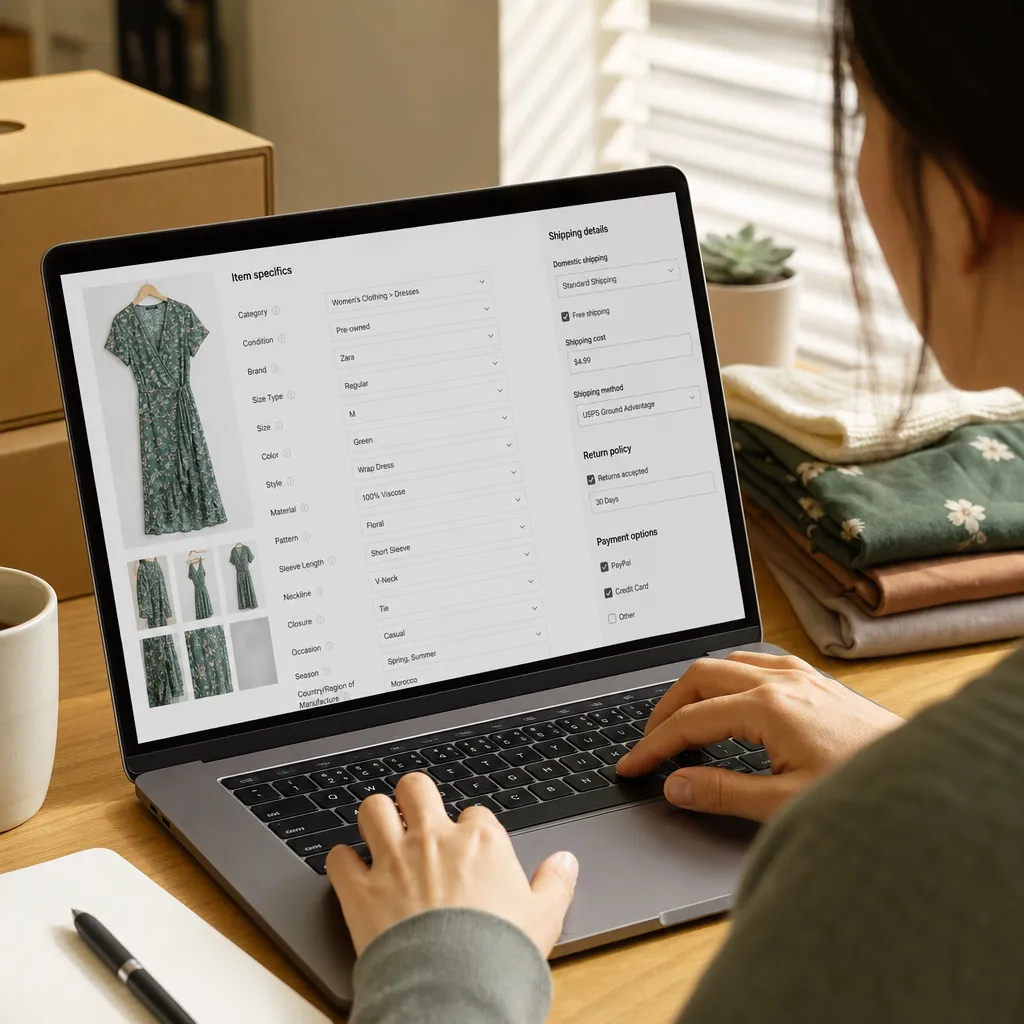
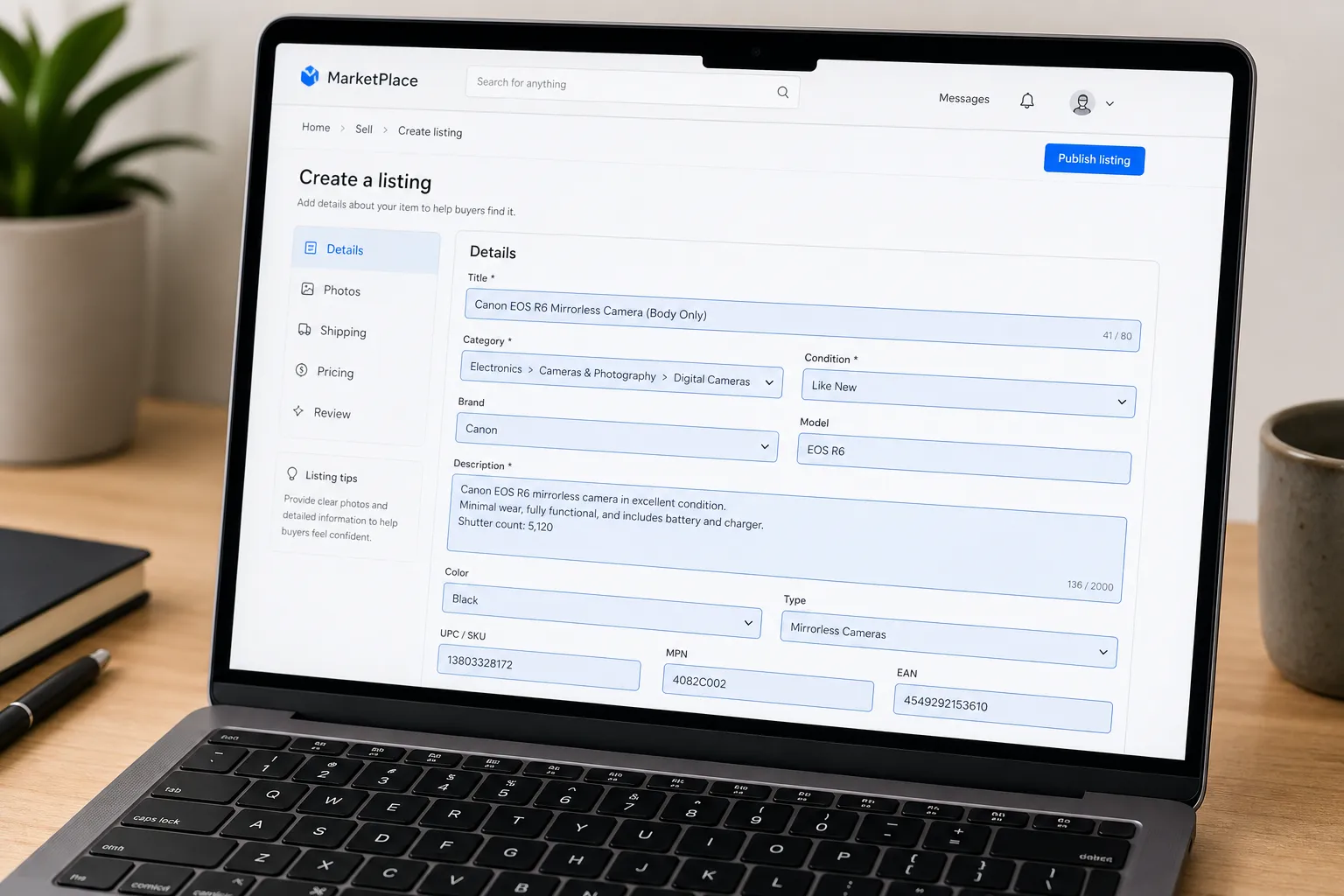
If you've been selling on eBay for a while, you've probably noticed that item specifics have gotten more prominent over the years. What used to be a small optional section at the bottom of the listing form is now front and center, with required fields, recommended fields, and a growing list of category-specific options.
A lot of sellers still treat item specifics like a formality. You fill in the ones marked required, skip the rest, and move on. If that sounds like your process, this post is going to change how you think about your listings.
What Item Specifics Actually Do
Item specifics are structured data points that describe your item in a standardized way. Brand, model, color, size, material, condition details, compatibility, style. eBay uses them for two main things.
First, they power the filter sidebar. When a buyer searches for Nike running shoes and then filters by "Color: Blue" and "Size: 10," eBay can only show your listing in those results if your item specifics match. If you left Color and Size blank, your listing is invisible to that filtered search, even if you wrote "blue" and "size 10" in your title and description.
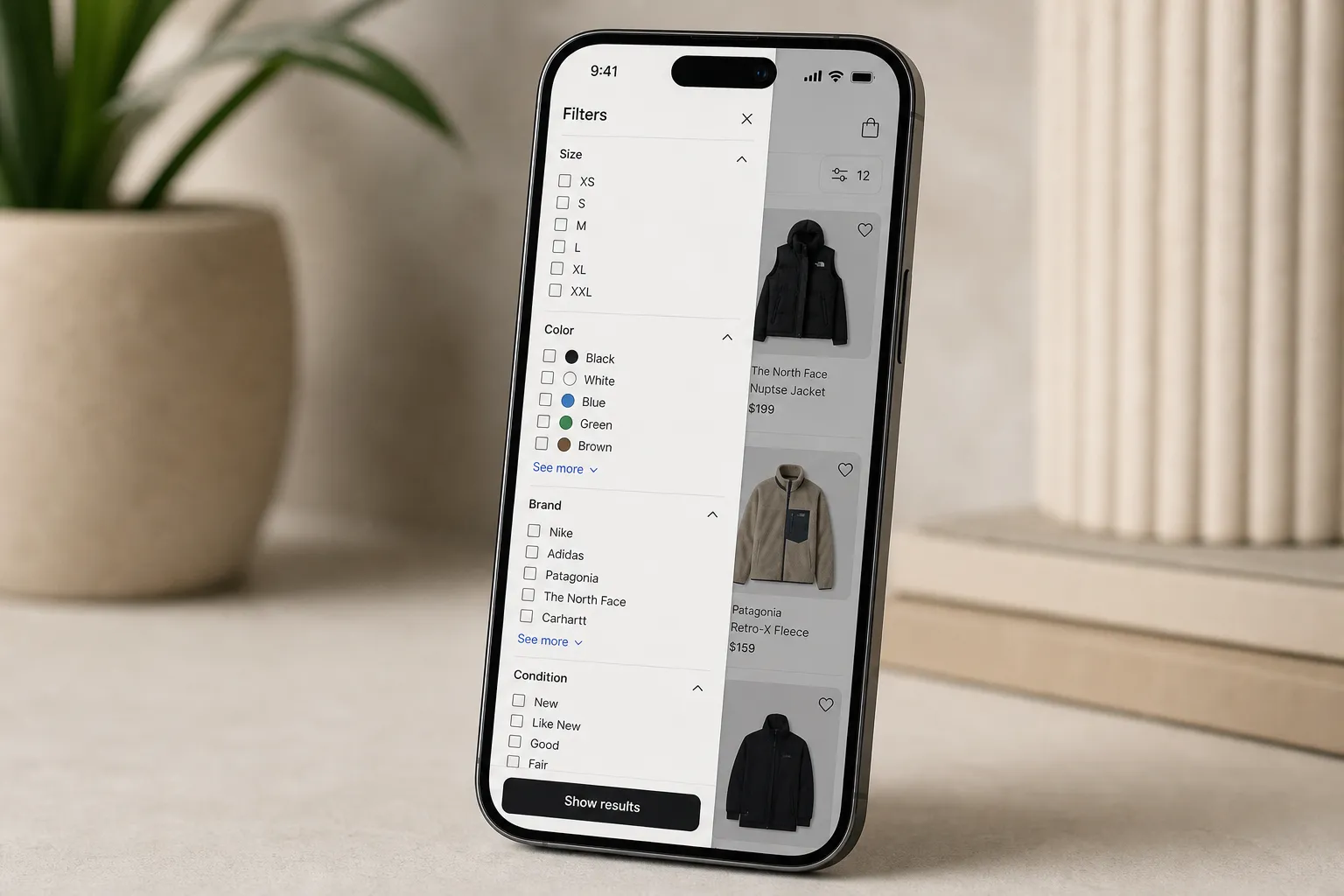
Second, eBay's search algorithm, Cassini, uses item specifics as ranking signals. Listings with complete, accurate item specifics rank better in search results than listings with the same title but missing specifics. This is especially true in categories like clothing, electronics, parts, and collectibles where buyers commonly use filters.
In 2026, eBay has pushed this further. They've added more required fields in high-volume categories, integrated item specifics more tightly into the catalog matching system, and made it increasingly clear that incomplete specifics lead to lower organic visibility.
The Categories Where It Matters Most
Not every category is equal here. In some categories, item specifics are a minor factor. In others, they're the difference between a listing that sells in 3 days and one that sits for 90.
Clothing, shoes, and accessories - Size, color, style, material, and brand are all heavily filtered in this category. Buyers almost always use size filters. A shirt listed without a size in item specifics is functionally invisible to a huge portion of its potential buyers. Same for shoe size, shoe width, clothing style, and occasion type.
Electronics and parts - Compatibility is king here. If you're selling a phone case, the Compatible Model field is critical. If you're selling a car part, the Year, Make, and Model fields aren't optional, they're how buyers find you. eBay's parts compatibility system runs almost entirely on item specifics.
Collectibles and trading cards - Graded, Ungraded, Grade, Set, Year, and Card Name are all used in search and filtering. The trading card category has gotten extremely specific about what fields eBay expects.
Books, movies, and music - ISBN, format, edition, and publication year are used for catalog matching. eBay often auto-populates related specifics if you provide ISBN, which is a good reason to always include it.
Home and garden - Room type, material, color, and dimensions are commonly filtered. Buyers searching for "white ceramic planter 6 inch" are using filters, not just keywords.
Why Most Sellers Skip the Work
Item specifics take time. In many categories, there are 15 to 25 recommended fields, and filling in every single one for a $12 item feels like overkill.
The honest answer is that it used to be overkill. Five years ago, eBay's search algorithm wasn't weighting item specifics as heavily, buyers were using filter tools less consistently, and the required fields list was shorter. Skipping item specifics cost you less.
The math has changed. More eBay traffic now comes from buyers using filters and saved searches. The mobile app makes filtering even easier. And eBay has made catalog-based search, which relies on item specifics, more prominent in many categories.
The sellers who figured this out early are quietly getting more organic visibility while selling the same items as everyone else.
The Efficient Approach: Which Fields to Prioritize
You don't need to fill in every possible field on every listing. There's a prioritization hierarchy that lets you get most of the benefit without spending five extra minutes per item.
Always fill in: Every field marked "required" by eBay. These are non-negotiable for listing visibility.
Almost always fill in: Fields that buyers commonly filter by in your category. For clothing, that's always Size and Color. For electronics, that's always Brand and Model. For parts, that's always compatibility fields. If you don't know which fields buyers filter by in your category, look at the filter sidebar when you search for your type of item. Every filter option corresponds to an item specific.
Fill in when applicable: Condition-related fields like defects, alterations, or modifications. These protect you from returns and build buyer trust.
Skip when it's genuinely not applicable: Don't make up information to fill a field. An item specific with wrong data is worse than a blank one because it surfaces your listing for searches where it doesn't belong and causes buyer frustration.
AI-Assisted Listing and Item Specifics
One reason sellers skip item specifics is the manual lookup time. Finding the exact model number of a piece of vintage electronics, or identifying the exact material composition of a fabric, takes research that slows the listing process down.
AI listing tools have gotten good at this. When you take photos of an item and run it through a tool like ListForge, the AI doesn't just generate a description. It identifies the brand, model, category, and relevant attributes, which often map directly to item specifics. You're not starting from scratch.
This is especially helpful for clothing and shoes, where brand-specific sizing information, materials, and style classifications can be pulled from product recognition rather than manual lookup. For electronics and collectibles, model identification from a photo or barcode scan fills in the specifics that would have taken a search to find.
The result is that filling out item specifics no longer has to be a separate research step. It becomes part of the listing generation process.
A Quick Audit of Your Existing Listings
If you want to know how much this is currently affecting you, do a quick audit of your active listings. Go to your Seller Hub, open a few of your slower-moving listings, and check their item specifics completeness.
For each listing, ask:
- Are the size, color, and brand filled in if applicable?
- Are all required fields completed?
- For parts or electronics, is compatibility information included?
- Are there 5 or more recommended fields that are blank?
If your answer to that last question is yes on most listings, you've found a quick win. Going back and filling in item specifics on existing listings does improve their search ranking. It's not as powerful as doing it correctly from the start, but it's worth the effort on listings that have been sitting without a sale.
eBay even shows you a "Listing quality" score in Seller Hub for many listings, which specifically calls out missing item specifics. This is a good place to start your audit.
The Practical Takeaway
Item specifics aren't glamorous. They're not the kind of optimization that feels exciting to talk about. But they're one of the most reliable levers you have for improving organic visibility on eBay without changing your prices, getting more reviews, or doing anything else.
The sellers who take the time to fill them in correctly are getting their listings in front of filtered searches that other sellers are completely invisible to. That translates directly to more watchers, more offers, and more sales on items that are otherwise identical to the competition.
Next time you're listing an item, open the item specifics section and fill in everything that applies. It takes an extra two or three minutes per listing. Over the course of a month of listing, that's not much time invested for the visibility boost you get back.
And if you're using an AI listing tool that handles the identification work for you, that two to three minutes gets cut down further. The barrier to doing this right is lower than it's ever been.
How ListForge Handles Item Specifics For You
The whole reason sellers skip item specifics is the manual lookup time. Finding the exact material composition, the right subcategory fields, or the specific model variant takes research that can double your listing time. That's where ListForge changes the math.
ListForge treats item specifics as a core part of the listing, not an afterthought:
- Every required field gets filled. When ListForge builds your listing, it looks up eBay's actual field requirements for your specific category and fills in every required item specific. It doesn't guess at field names or values. It searches eBay's taxonomy to find the right ones.
- Brand, model, and variant identification from your photos. ListForge identifies the product from your images and maps those details directly to item specifics. It reads label text, brand marks, and model numbers from your photos, so you're not manually typing in information that's already visible in the picture.
- Smart inference for fields you'd normally skip. For fields where the answer isn't printed on the item, ListForge uses contextual clues. A Le Creuset Dutch Oven in the "Casserole Dishes" category gets "Glass/Pyrex" or the correct material filled in. A Canon AE-1 gets the right film format. It works through what it can see, what it knows about the product, and what's standard for the category.
- Searchable field values matched correctly. Some eBay categories have hundreds of possible values for a single field. ListForge searches through those values to find the right match instead of entering free-form text that might not align with eBay's structured data. That means your listings show up in filtered searches where free-form entries might not.
- You still have the final say. Every item specific is visible in your listing review before anything publishes. If ListForge got something wrong or you want to add detail, you can edit it.
The result is that filling out item specifics is no longer a separate research step. It happens automatically as part of listing generation. The 2 to 3 extra minutes per listing that this article mentions? With ListForge, it's zero extra minutes, because the specifics are already there when you review the listing.
Try ListForge free and see the difference full item specifics coverage makes to your search visibility.